Popular
How do I activate 2-Step Verification from Mi Banco Online (desktop)?
-
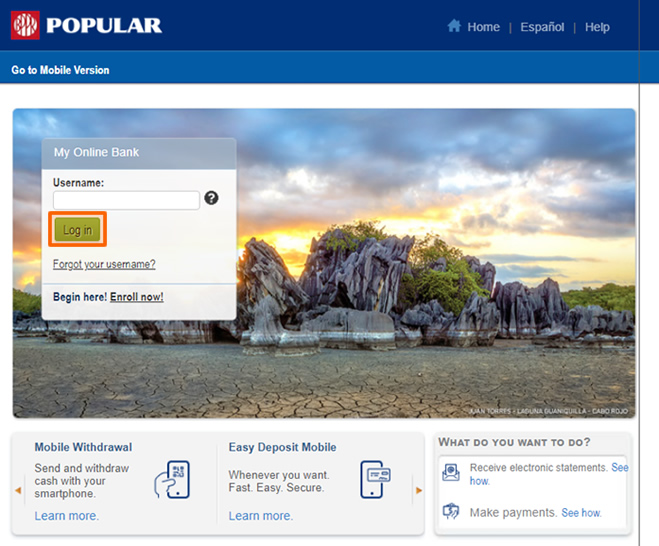
Log in to Mi Banco Online from your computer.
-
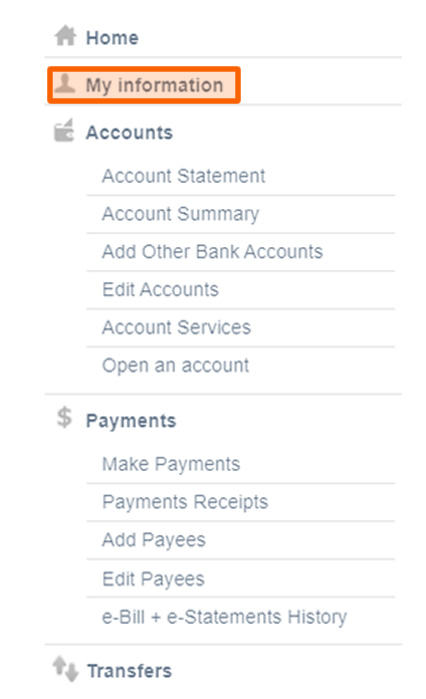
On the upper portion of the left menu, click on My Information.
-
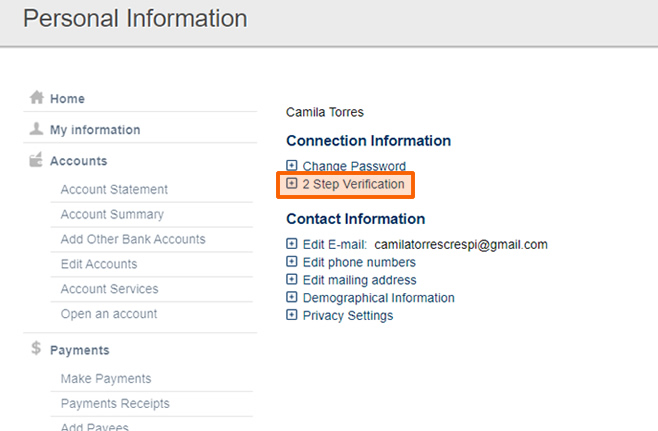
Under Connection Information, click on 2 Step Verification.
-
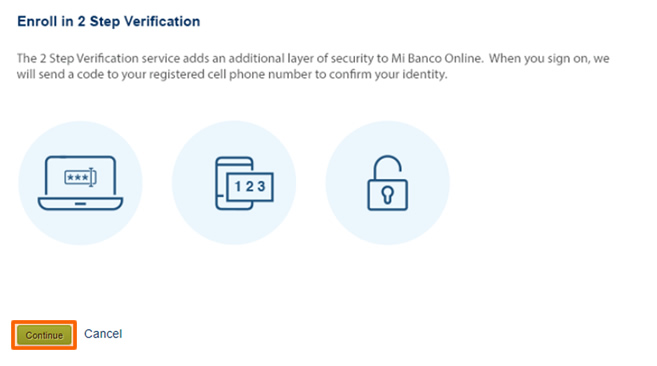
Click on Continue.
-
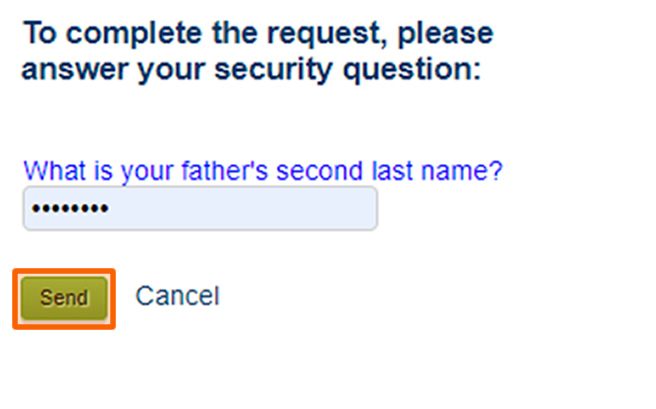
Answer your security question. If you don't know the answers to the security questions, you can write to us through the Chat or call us at 787-724-3659.
-
Choose how you prefer to receive your code, via SMS (text message) or phone call, and how often you want to ask for 2-Step Verification.

-
You can add an alternate number in case you lose access to your main phone.

-
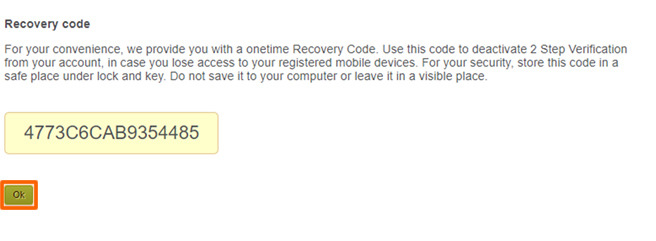
A recovery code will be provided to you. It is important that you keep the code in a safe place. If you lose your registered mobile devices, you can use this code to deactivate the service. Once you login from another device and prompted for 2-Step Verification, select the recovery code option to deactivate the service.
-
That’s it! Your 2-Step Verification is now active.

Need more help?
We are receiving an extraordinary volume of calls, which is affecting our waiting times. We appreciate your understanding and your trust in us.
Call us at 787.724.3659787.724.3659 or Access Mi Banco Online (desktop version), log in by entering your username and password, and in the upper part of the website click on “Contact Us”. From there, write your message, and we will gladly assist you.
We encourage you to consult the following information regarding useful and accessible solutions for you.
- Access our tutorials to perform the following transactions:
- There are more than 600 ATMs where you can pay your bills, deposit and withdraw money. To find the nearest ATM, click here.
Products and services offered by Banco Popular de Puerto Rico. Member FDIC.
1Withdrawals are subject to the availability of funds in your account.
2Deposits are subject to the provisions of the Bank’s Funds Availability Policy. Easy Deposit Mobile is a free service and only for Banco Popular customers with individual deposit accounts and/or commercial accounts (FlexiCuenta de Negocios® & B-Smart®). Customers selected in accordance with the Bank’s eligibility criteria. Checks deposited before 6:00 p.m. of a business day will be processed the same business day, subject to verification and deposit validation. In the back of the check to be deposited, enter your signature, account number and the phrase “For Deposit Only at BPPR.”